
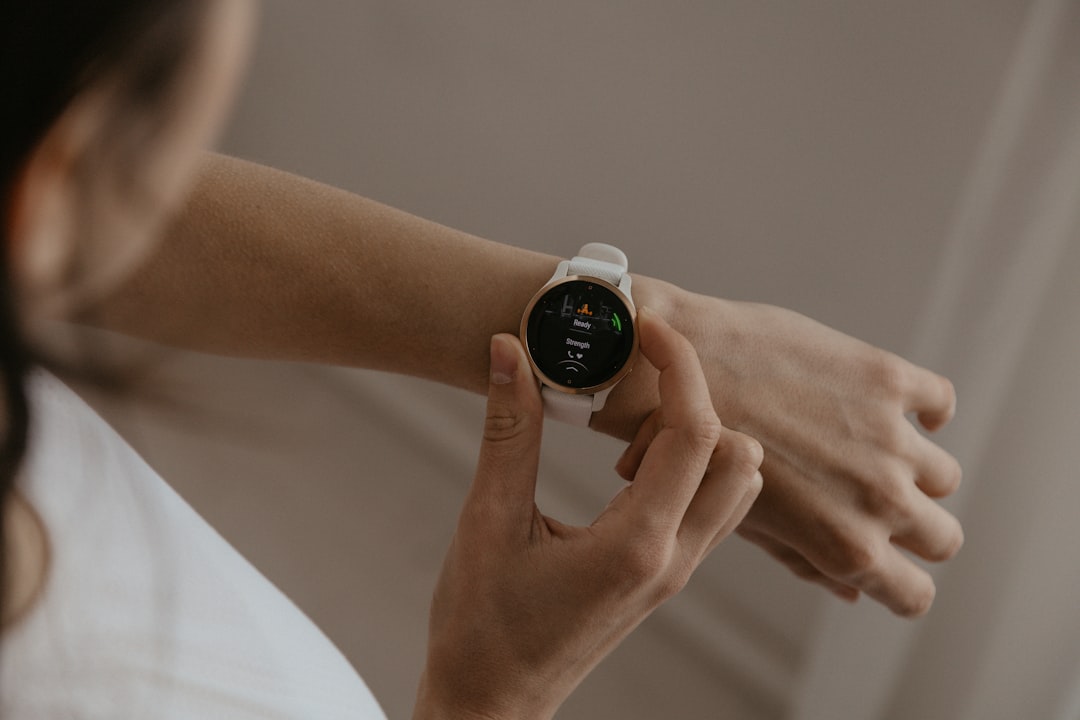
Garmin and Strava are two of the most popular platforms in the fitness and sports tracking world. Garmin offers a wide range of GPS-enabled devices that track your running, cycling, swimming, and other fitness metrics with precision. Strava, on the other hand, is a social network for athletes, designed to share and analyze performance data, participate in challenges, and connect with a community of like-minded individuals.
Many athletes and casual users alike want to merge the best of both worlds by connecting their Garmin device to Strava. This ensures that all the workouts recorded by your Garmin device automatically sync to Strava without manual uploads, allowing for more seamless tracking and analysis.
TL;DR
If you’re looking to connect your Garmin device to Strava, the easiest method is through the Garmin Connect platform. You’ll need accounts on both Garmin Connect and Strava. Once linked, your workouts sync automatically to Strava shortly after being uploaded to Garmin. This integration saves time and ensures consistent tracking across platforms.
Step-by-Step Guide to Connect Garmin to Strava
1. Prerequisites
Before you begin, make sure you have the following:
- An active Garmin Connect account.
- A paired Garmin device (watch, bike computer, or fitness tracker).
- An active Strava account.
- The latest version of the Garmin Connect app installed on your smartphone or access to the Garmin Connect web portal.
2. Connecting via Garmin Connect Mobile App
This method works for most users and is particularly convenient if you regularly use your Garmin device with your smartphone. Here’s how you do it:
- Open the Garmin Connect app on your smartphone.
- Tap the Menu icon (three horizontal lines for Android or More on iOS).
- Select Settings, then tap Connected Apps.
- Find and select Strava from the list of available apps.
- Tap Agree or Connect. You are redirected to the Strava login page.
- Enter your Strava login credentials and authorize the connection.
- Once confirmed, Garmin Connect will be linked to Strava.
All future activities that you sync to Garmin Connect will automatically upload to Strava within a few moments, depending on your data connection.
3. Connecting via Garmin Connect Web Portal
If you prefer using a desktop or don’t have access to the mobile app, you can also connect Garmin to Strava through the official web portal.
- Go to Garmin Connect and log into your account.
- Click on the small gear icon (Settings) in the top-right corner.
- Select Account Settings from the dropdown menu.
- In the left-hand menu, click on Connected Apps.
- Locate Strava and click Connect.
- You’ll be redirected to the Strava login page. Enter your credentials and authorize access.
This process ensures that your Garmin Connect account sends data directly to Strava, even if your Garmin device is connected only to your computer or uploads through Garmin Express.
4. Verifying the Connection
Once the integration is established, it’s a good idea to test it by completing a short activity such as a walk or a bike ride. Sync it with your Garmin device and check if it appears on your Strava feed.
Steps:
- Complete a test workout using your Garmin device.
- Sync the data to Garmin Connect by letting it upload via Bluetooth or USB.
- Open your Strava account and verify if the activity appears correctly.
This verification step helps ensure all settings are functioning correctly and your data will transfer going forward without issues.
5. What Data is Synced?
When Garmin and Strava are connected, the following data types are typically synced:
- Time, Distance, and Speed data
- Heart Rate (if supported by your device)
- Elevation gain and loss
- GPS route maps
- Cadence and power data (for cyclists using compatible sensors)
However, note that certain activity annotations like training effect, stress scores, or sleep tracking data may not be shared. Strava focuses primarily on activity tracking and excludes some of the more advanced physiological metrics from Garmin.
6. Troubleshooting Common Issues
If your Garmin activities aren’t syncing to Strava correctly, consider these solutions:
- Check your connection: Revisit Garmin Connect’s settings and ensure Strava is still listed under Connected Apps.
- Update software: Both the Garmin Connect app and your Garmin device’s firmware should be up to date.
- Reauthorizing: Sometimes you need to disconnect and reconnect your Strava account to Garmin Connect to solve syncing issues.
- Manual upload: If automation fails, export the .FIT or .TCX file from Garmin Connect and upload it to Strava manually.
7. Can You Sync From Strava to Garmin?
It’s important to understand that the sync between Garmin and Strava is one-way only. Data flows from Garmin to Strava, not the reverse. So even if you log an activity manually in Strava, it will not appear in Garmin Connect.
That’s why it’s critical to record your workouts using your Garmin device if synchronization is important for your tracking.
8. Benefits of Connecting Garmin to Strava
For many users, the integration between Garmin and Strava unlocks a set of advantages, including:
- Automated Data Syncing: No need to import data manually.
- Detailed Visual Data: Use Strava’s segment and analytics features alongside Garmin’s accurate data collection.
- Community Engagement: Share workouts, comment on friends’ activities, and participate in clubs or challenges.
- Goal Tracking: Easily monitor long-term fitness goals across both platforms.
9. Privacy and Data Sharing
Before completing the connection process, it’s a good idea to review your privacy settings on both Garmin and Strava. You can customize:
- Who can see your activities on Strava (Everyone, Followers, or Only You).
- Whether location details such as your home address are obfuscated.
- Who can send you follow requests or comment on your workouts.
These settings help ensure that you maintain control over your personal information while enjoying the benefits of fitness data integration.
Final Thoughts
Connecting your Garmin device to Strava is a straightforward process that brings considerable advantages for the fitness-conscious. Once connected, your data flows automatically, providing a seamless bridge between detailed activity tracking and social-fitness networking.
By following the step-by-step instructions detailed above, you can ensure your Garmin workouts upload to Strava efficiently and reliably, empowering your training with data-rich insights and interactive experiences.
Whether you’re an avid cyclist chasing KOMs or a runner tracking every mile, this connection enhances your fitness journey by merging precision and community into one cohesive experience.