
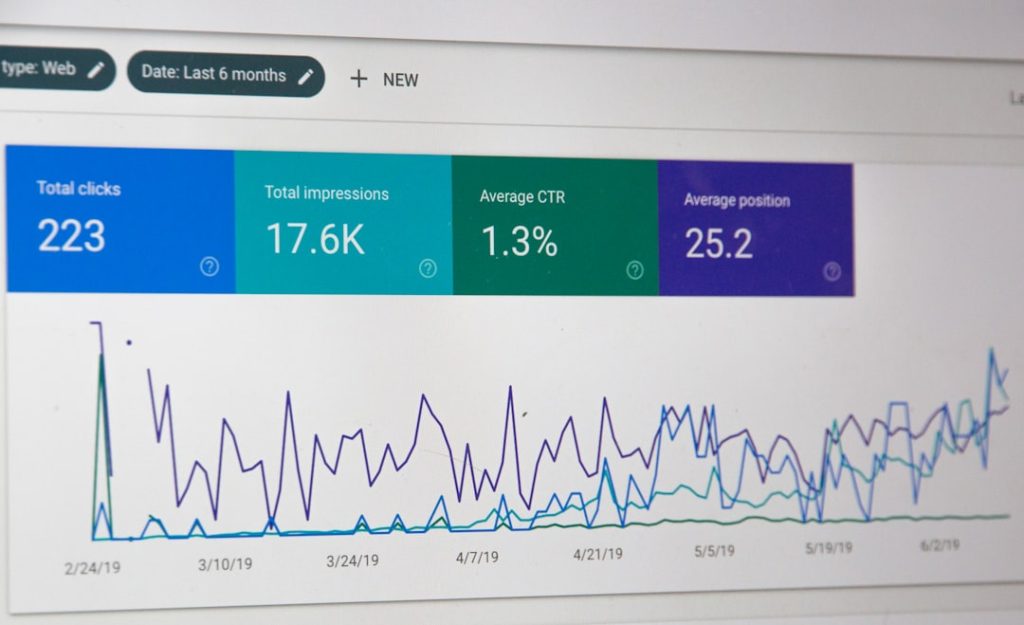
Managing databases used to mean mastering the command-line interface (CLI), memorizing complex queries, and navigating text-based outputs that could intimidate even experienced developers. Today, however, Database GUI (Graphical User Interface) clients are transforming the way professionals interact with databases. These tools offer visual dashboards, drag-and-drop functionality, real-time schema views, and intuitive query builders that make database management faster and more accessible. Whether you are a developer, data analyst, or system administrator, GUI clients can dramatically streamline your workflow.
TLDR: Database GUI clients allow users to manage databases visually instead of relying solely on command-line tools. They offer features like schema designers, query editors, data visualization, and performance monitoring. These tools improve productivity, reduce errors, and make database management accessible to non-experts. Popular options include MySQL Workbench, pgAdmin, DBeaver, and others, each with specific strengths.
Why Move Beyond the CLI?
The command line remains powerful and indispensable in many environments. However, it comes with a steep learning curve and limited visualization. GUI clients address these challenges by offering:
- Visual database modeling
- Drag-and-drop table management
- Integrated query editors with syntax highlighting
- Performance dashboards
- User-friendly backup and restore options
For teams that include designers, business analysts, or junior developers, GUI tools remove friction. They reduce dependency on memorizing CLI commands and minimize syntax-related errors.

Core Features of Database GUI Clients
Not all GUI clients are created equal, but most leading platforms share several powerful features:
1. Visual Schema Management
One of the most appreciated features is the graphical schema viewer. Instead of reading through text-based table definitions, users can see relationships between tables through diagrams. Foreign keys, indexes, and constraints become instantly understandable.
2. Query Builder and SQL Editor
Advanced GUI clients offer both manual query writing and assisted query building. Features often include:
- Auto-complete suggestions
- Syntax highlighting
- Error detection
- Query history tracking
- Execution plan visualization
This makes complex queries easier to construct and debug.
3. Data Editing in Grid View
Rather than typing UPDATE statements, users can directly modify table data in spreadsheet-like grids. Changes can then be saved or rolled back as needed.
4. Backup and Restore Tools
GUI-based backup systems simplify exporting and importing data. This is especially helpful for staging environments, migration tasks, and disaster recovery scenarios.
5. Performance Monitoring
Many enterprise-grade GUI clients display metrics such as CPU usage, slow queries, locks, and transactions in real time. Visualizing performance data makes diagnosing bottlenecks much faster.
Popular Database GUI Clients
There are many options available depending on the database system you use. Below are some of the most widely adopted GUI tools.
1. MySQL Workbench
MySQL Workbench is the official GUI tool for MySQL databases. It combines database design, development, and administration tools in one interface.
- Visual schema designer
- Performance dashboards
- Server configuration management
- Migration wizard
It is particularly strong for developers working exclusively within the MySQL ecosystem.
2. pgAdmin
pgAdmin is a leading GUI tool for PostgreSQL. It’s open-source and widely trusted in enterprise environments.
- Web-based and desktop versions
- Advanced query tool
- Role and permission management
- Backup and restore utilities
3. DBeaver
DBeaver stands out because it supports multiple database systems, including MySQL, PostgreSQL, Oracle, SQL Server, SQLite, and more.
- Cross-platform availability
- ER diagrams
- Customizable queries
- Extensive plugin ecosystem
This makes it ideal for teams working with diverse database infrastructures.
4. HeidiSQL
HeidiSQL is a lightweight but powerful client primarily used for MySQL, MariaDB, and PostgreSQL.
- Fast interface
- Session management
- Bulk data export options
- Simple learning curve
5. Azure Data Studio
Designed for SQL Server and Azure databases, Azure Data Studio blends traditional database management with notebook-style interfaces.
- Integrated notebooks
- Extensions marketplace
- Cross-platform support
- Azure cloud integration
Comparison Chart of Popular Database GUI Clients
| Tool | Supported Databases | Open Source | Best For | Platform |
|---|---|---|---|---|
| MySQL Workbench | MySQL | Yes | MySQL-specific development | Windows, macOS, Linux |
| pgAdmin | PostgreSQL | Yes | PostgreSQL administration | Web, Desktop |
| DBeaver | Multiple | Community edition available | Multi-database environments | Windows, macOS, Linux |
| HeidiSQL | MySQL, MariaDB, PostgreSQL | Yes | Lightweight management | Windows |
| Azure Data Studio | SQL Server, Azure | Yes | Cloud and SQL Server workflows | Windows, macOS, Linux |
The Advantages of GUI-Based Database Management
1. Reduced Human Error
CLI mistakes can be costly. A misplaced semicolon or incorrect condition in a DELETE query can cause major data loss. GUI tools often provide confirmation prompts and visual cues that reduce accidental execution of destructive commands.
2. Faster Onboarding
New team members can start contributing more quickly when they are not required to memorize complex command syntax. The learning curve is significantly lower.
3. Better Collaboration
Visual diagrams and exportable reports make collaboration between technical and non-technical stakeholders easier. Sharing a schema image is far more intuitive than sharing raw SQL definitions.
4. Enhanced Productivity
With features like auto-complete, reusable snippets, and visual explain plans, developers spend less time writing boilerplate SQL and more time solving real problems.
Are GUI Clients Replacing the CLI?
Not entirely. CLI tools remain important for automation, scripting, and remote server management. In fact, many professionals use both approaches:
- CLI for automation and scripting
- GUI for exploration and design
The two methods complement each other rather than compete.
Choosing the Right GUI Client
When selecting a database GUI tool, consider the following factors:
- Database compatibility – Does it support your required systems?
- Performance – Can it handle large datasets efficiently?
- Security features – Does it support SSH tunnels, SSL connections, and role management?
- Community and support – Is documentation readily available?
- Extensibility – Are plugins or extensions available?
If you manage multiple database engines, a universal tool like DBeaver might be ideal. If you work exclusively with PostgreSQL or MySQL, dedicated tools such as pgAdmin or MySQL Workbench may offer deeper feature sets.
The Future of Database GUI Tools
Database management is evolving rapidly. Modern GUI clients are integrating:
- AI-powered query optimization suggestions
- Automated schema change tracking
- Cloud-native integrations
- Collaboration features similar to version control systems
As organizations increasingly adopt cloud databases and distributed architectures, GUI tools are adapting to offer centralized control panels that provide visibility across clusters, containers, and microservices.
Final Thoughts
Database GUI clients have dramatically reshaped how professionals manage and interact with databases. They democratize database access, empower faster workflows, and reduce the risk of costly mistakes. While the command line still has its place, graphical clients provide a layer of clarity and efficiency that modern development demands.
For beginners, these tools open the door to database management without overwhelming syntax. For experienced professionals, they add speed, visualization, and powerful monitoring capabilities. In today’s data-driven world, having the right GUI client isn’t just convenient—it’s a strategic advantage.