

Writing in Markdown has become a standard practice for developers, technical writers, bloggers, and content professionals who value clarity, portability, and structure. Because Markdown is lightweight and platform-independent, the quality of your editor plays a significant role in productivity and consistency. A well-designed Markdown editor does more than provide syntax highlighting—it streamlines formatting, previews output accurately, and supports organized workflows.
TLDR: Choosing the right Markdown editor can dramatically improve how efficiently you write and structure content. The best tools combine live preview, clean interfaces, export options, and organizational features. In this article, we examine four reliable Markdown editors known for stability, performance, and professional-grade functionality. A comparison chart is included to help you select the right tool for your workflow.
Below are four carefully selected Markdown editors that consistently stand out in terms of reliability, usability, and structured writing support.
1. Typora
Typora is widely recognized for its seamless live preview experience. Unlike many Markdown editors that separate editing and preview modes, Typora merges them into a single, fluid writing interface. This eliminates the distraction of toggling between views and helps writers focus on content structure.
Key Features:
- Real-time WYSIWYG preview
- Support for tables, footnotes, diagrams, and math expressions
- Custom themes for distraction-free writing
- Export options including PDF, Word, and HTML
- Outline panel for navigation
Typora is particularly well-suited for writers who prefer a minimalist writing environment. The interface stays out of the way while still offering powerful formatting capabilities. For long-form content creators and technical documentation writers, its support for diagrams (such as Mermaid) is a practical advantage.
Best for: Writers who want a clean interface with integrated preview and minimal distractions.
2. Obsidian
Obsidian extends far beyond a basic Markdown editor. It is built as a knowledge management system powered entirely by Markdown files. This makes it ideal not only for writing structured content but also for connecting ideas across multiple documents.
Image not found in postmetaKey Features:
- Bidirectional linking between notes
- Graph view for visualizing connections
- Plugin ecosystem for customization
- Local file storage for full control
- Strong community support
Obsidian’s strength lies in content organization. Writers working on research-heavy material, documentation libraries, or multi-part projects benefit from its linking and tagging system. By creating internal connections между notes, users can maintain structured frameworks across large writing projects.
Its plugin architecture also allows advanced customization, from task management tools to publishing workflows. While it may require some initial configuration, Obsidian rewards users who want a long-term content system rather than a simple editor.
Best for: Researchers, technical writers, and professionals managing interconnected content.
3. iA Writer
iA Writer is built around a clear philosophy: focus on writing first. It is designed to reduce visual clutter and encourage concentration, making it popular among authors and content writers who value simplicity without sacrificing structure.
Key Features:
- Focus mode to highlight current sentence or paragraph
- Syntax highlighting for parts of speech
- Cross-platform support
- Markdown preview and export options
- File organization library
One of iA Writer’s distinguishing features is its syntax highlighting system, which visually distinguishes nouns, verbs, adjectives, and other parts of speech. This unique capability helps writers refine sentence clarity and maintain structured prose.
The interface is intentionally minimal. There are no excessive menus or overwhelming feature sets. Instead, the emphasis is on producing clean, well-structured text that can later be published or exported in multiple formats.
Best for: Writers who prioritize clarity, focus, and simplicity.
4. Visual Studio Code (With Markdown Extensions)
Visual Studio Code (VS Code) is primarily known as a code editor, but with the right extensions, it becomes one of the most powerful Markdown writing environments available.
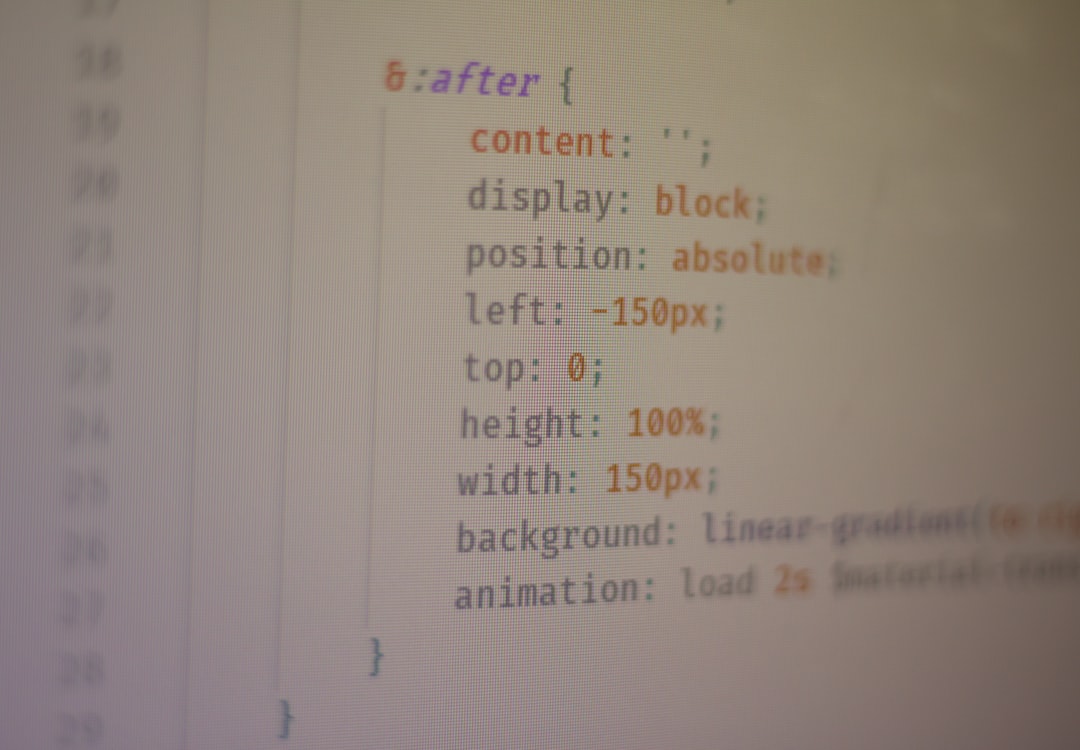
Key Features:
- Split-screen live Markdown preview
- Extensive extension marketplace
- Git integration for version control
- Workspace organization tools
- Customizable themes and layouts
For technical documentation teams and developers, VS Code provides a structured environment where Markdown files integrate seamlessly with development workflows. Version control through Git adds accountability and collaboration support, making it an excellent choice for teams.
Although it may feel more complex than minimalist editors, its scalability makes it ideal for enterprise-grade documentation projects. With extensions for linting, diagrams, and Markdown formatting validation, it ensures content consistency.
Best for: Developers and teams producing structured documentation with version control.
Comparison Chart
| Editor | Best Use Case | Live Preview | Organization Features | Export Options | Customization Level |
|---|---|---|---|---|---|
| Typora | Focused long-form writing | Integrated real-time preview | Basic file structure and outline | PDF, Word, HTML | Moderate |
| Obsidian | Knowledge management and research | Preview mode available | Advanced linking and graph visualization | Plugins enable export flexibility | High |
| iA Writer | Distraction-free writing | Simple preview | Basic folder organization | Common document formats | Low to Moderate |
| VS Code | Technical documentation teams | Split-screen with extensions | Workspace and Git integration | Highly configurable via extensions | Very High |
How to Choose the Right Markdown Editor
Selecting the best Markdown editor depends on your writing goals and workflow requirements. Consider the following criteria:
- Interface design: Do you prefer minimalism or advanced customization?
- Project scale: Are you writing standalone articles or managing interconnected documentation?
- Collaboration needs: Do you require version control and team workflows?
- Export requirements: Will you publish content in multiple formats?
- Platform compatibility: Does the editor work across your devices?
For independent writers, a minimal interface may increase concentration and output quality. For teams and enterprise projects, integration capabilities and file management often take priority.
Final Thoughts
A structured writing process begins with the right tools. Markdown itself promotes clarity by design, but without an effective editor, its advantages may be underutilized. The four tools discussed here—Typora, Obsidian, iA Writer, and Visual Studio Code—each serve distinct professional needs.
If you prioritize seamless formatting and simplicity, Typora provides elegance and ease of use. If your writing involves interconnected notes and long-term organization, Obsidian delivers exceptional linking and knowledge management. For distraction-free drafting, iA Writer excels. And for technical teams requiring structured workflows with version control, VS Code stands out.
Ultimately, a trustworthy Markdown editor should enhance—not complicate—your writing process. By aligning your choice with your content structure and workflow demands, you ensure not only cleaner documents but also a more disciplined and efficient approach to writing.