
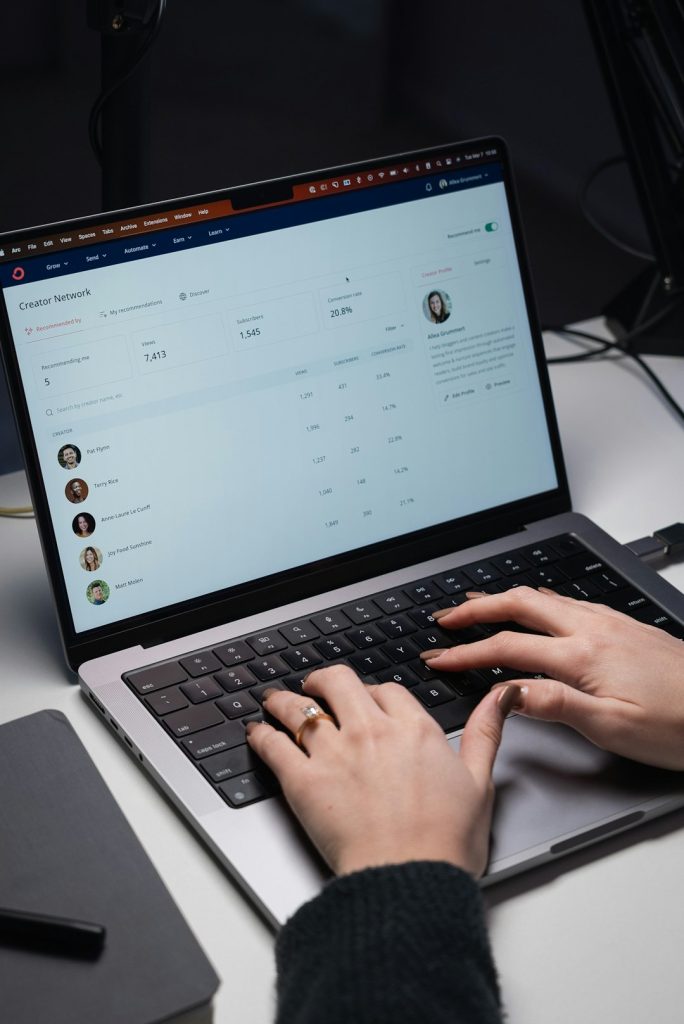
In today’s hyper-connected world, the ability to access your computer systems from anywhere is no longer a luxury—it’s a necessity. Whether you are managing a distributed workforce, troubleshooting servers after hours, or simply accessing files from your home office while traveling, remote desktop tools have become indispensable. These tools enable seamless control of computers and networks across vast distances, transforming how businesses and individuals operate.
TLDR: Remote desktop tools allow you to securely access and control computers from anywhere in the world. They are essential for remote work, IT support, and business continuity. Popular solutions vary in security, performance, ease of use, and pricing. Choosing the right platform depends on your specific needs, including scalability, security, and collaboration features.
At their core, remote desktop tools create a secure connection between two systems, letting users view and interact with a remote machine as if they were physically present. From freelancers and IT professionals to multinational corporations, these tools offer flexibility, cost savings, and operational efficiency.
How Remote Desktop Tools Work
Remote desktop software functions by transmitting keyboard input, mouse movements, and screen data between devices over the internet or a private network. Most modern solutions use encrypted protocols to ensure secure communication and prevent unauthorized access.
Typically, the connection involves:
- Host Device: The computer being accessed remotely.
- Client Device: The device used to control the host.
- Authentication Layer: Login credentials and possibly multi-factor authentication.
- Encryption Protocol: SSL/TLS or proprietary encryption standards.
Advanced platforms also incorporate cloud-based relay servers, simplifying connections even behind firewalls and NAT networks. This makes setup easier for non-technical users while maintaining enterprise-grade security.
Why Remote Desktop Tools Matter
The demand for remote connectivity has skyrocketed with the rise of hybrid work. Businesses now rely on distributed teams, international contractors, and global operations. Here’s why these tools matter more than ever:
- Business Continuity: Access critical systems even during emergencies.
- IT Support: Troubleshoot employee systems without on-site visits.
- Cost Efficiency: Reduce travel and hardware expenses.
- Flexibility: Work securely from virtually any location.
- Collaboration: Share screens and collaborate in real time.
Instead of transporting physical devices or maintaining separate hardware, users can tap into their primary workstation through a secure connection.
Key Features to Look For
Not all remote desktop tools are created equal. Selecting the right solution involves evaluating several important features:
- Security: End-to-end encryption, multi-factor authentication, and role-based access control.
- Performance: Low latency and high frame rates, especially for graphics-intensive work.
- Cross-Platform Compatibility: Works on Windows, macOS, Linux, iOS, and Android.
- Unattended Access: Connect without requiring someone on the host side to approve the session.
- File Transfer: Easily move files between connected machines.
- Session Recording: For auditing and compliance needs.
Organizations handling sensitive data must prioritize robust security features, while creative professionals might value high-performance streaming capabilities.
Popular Remote Desktop Tools
Here’s a look at some widely used remote desktop solutions available today:
1. Microsoft Remote Desktop
Built into Windows operating systems, Microsoft Remote Desktop is a reliable option for accessing Windows environments. It integrates seamlessly within enterprise Windows infrastructures and supports remote app streaming.
2. TeamViewer
Known for its user-friendly interface, TeamViewer offers cross-platform support and strong encryption. It’s often used for IT support, training, and personal access.
3. AnyDesk
Praised for its lightweight design and fast performance, AnyDesk is a popular alternative offering low latency connections, even on limited bandwidth.
4. Chrome Remote Desktop
A simple, browser-based solution ideal for individuals and small businesses. It integrates with Google accounts and requires minimal setup.
5. Splashtop
Focused on performance and affordability, Splashtop provides high-definition streaming suitable for creative tasks like video editing or design work.
Comparison Chart
| Tool | Best For | Ease of Use | Security Features | Platform Support |
|---|---|---|---|---|
| Microsoft Remote Desktop | Windows environments | Moderate | Network-level authentication, encryption | Windows, macOS, mobile |
| TeamViewer | IT support and enterprises | High | End-to-end encryption, MFA | Cross-platform |
| AnyDesk | Low latency performance | High | TLS encryption, device authorization | Cross-platform |
| Chrome Remote Desktop | Individuals and small teams | Very High | Google account authentication | Cross-platform via browser |
| Splashtop | High performance streaming | High | Encryption, device verification | Cross-platform |
Security Considerations
While remote desktop tools offer convenience, they also introduce potential security risks if not configured correctly. Cybercriminals often target improperly secured remote connections. Implementing best practices can greatly reduce vulnerabilities:
- Use Multi-Factor Authentication: Add an extra layer beyond passwords.
- Limit Access: Restrict connections to trusted IP addresses when possible.
- Keep Software Updated: Patch vulnerabilities promptly.
- Monitor Sessions: Use activity logs and alerts.
- Enable Strong Password Policies: Prevent brute-force attacks.

Businesses operating in regulated industries such as healthcare or finance should ensure their chosen solution complies with standards like HIPAA, GDPR, or SOC 2.
Use Cases Across Industries
Remote desktop tools serve a diverse range of industries:
Information Technology: Helpdesk teams remotely diagnose and fix user issues without stepping on-site.
Education: Instructors access campus systems remotely and provide technical support to students.
Healthcare: Medical staff securely retrieve patient records or software systems from multiple facilities.
Creative Industries: Designers and editors access high-powered office workstations from home.
Finance: Analysts securely connect to trading platforms or data terminals outside office hours.
This adaptability makes remote desktop technology a backbone of modern digital infrastructure.
Cloud-Based vs. On-Premises Solutions
Organizations must also decide between cloud-hosted platforms and on-premises configurations.
Cloud-Based Solutions:
- Quick deployment
- Minimal infrastructure management
- Scalable pricing models
On-Premises Solutions:
- Greater control over data
- Custom security configurations
- May require dedicated IT resources
Small businesses often prefer cloud-based platforms due to ease of use, while large enterprises may opt for hybrid or self-hosted deployments.
The Future of Remote Desktop Technology
As internet speeds improve and 5G becomes more widespread, remote desktop performance continues to evolve. Artificial intelligence is beginning to enhance these tools with smarter automation, predictive maintenance, and improved threat detection.
Virtual desktop infrastructure (VDI) is also gaining traction, enabling entire work environments to be hosted in the cloud rather than on physical machines. This shift supports secure, device-agnostic workflows where employees can log in from virtually any device.
In the coming years, expect stronger biometric authentication, deeper integration with collaboration platforms, and enhanced immersive experiences that blur the line between local and remote computing.
Final Thoughts
Remote desktop tools have fundamentally changed how we interact with technology and each other. What once required physical presence can now be accomplished securely from thousands of miles away. From boosting productivity and enabling flexible work to strengthening disaster recovery strategies, these tools are now central to digital operations.
Choosing the right remote desktop solution involves balancing performance, ease of use, security, and scalability. By understanding your unique needs and evaluating available options carefully, you can build a remote access strategy that empowers productivity while maintaining robust security.
In a world where work happens everywhere, remote desktop tools ensure that your systems are never out of reach.